


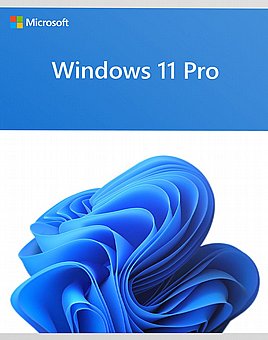
מערכת הפעלה Windows 11 Professional Edition 64bit אנגלית
-
מקט: FQC-10528
-
אחריות: ללא
-
קישור לאתר יצרן: Microsoft
-
מספר תשלומים: 2
מחיר ₪ 650
חזרו אלי בקשר למוצר זה
מדוע לקנות אצלנו?
מתחייבים לשירות
אמין ומקצועי
משלוחים לכל
חלקי הארץ
מחירים ללא
תחרות
ניסיון של
20 שנה
מדוע לקנות אצלנו?
מתחייבים לשירות
אמין ומקצועי
משלוחים לכל
חלקי הארץ
מחירים ללא
תחרות
ניסיון של
20 שנה
שירות לקוחות מקצועי, מחירים אטרקטיביים וזמני אספקה מהירים!
- אחריות: ללא


What's new in Windows 11
Welcome to Windows 11! Here are some resources to get you acquainted with the new features and changes introduced for Windows 11.
New in manufacturing
| Topic | Description |
|---|---|
| Factory OS | Factory OS is a lightweight OS image based on Windows configured to support early hardware and factory line bring-up. It boots to a minimal Factory OS Shell by default to support early hardware bring-up, device manufacturing and drivers/apps development. It can also be configured to boot to a Command Line interface to increase reliability on the factory line. |
| Languages overview | Languages
|
| Features on Demand | The Features on Demand ISO has been replaced with the Languages and Optional Features ISO. This ISO includes FOD packages and languages packs. |
| Manage inbox network drivers | Inbox PCI ethernet and WiFi drivers are now Features on Demand. You can easily remove these network driver FODs to reduce your disk footprint. |
| Using deployment tools with Windows 11 images | When using deployment tools to work Windows 11 images, the Name you expect to use with images might be different than you expect. This topic contains an overview of the issue as well as some workarounds. |
| Windows Setup Command Line Options | New /EULA command line options lets you accept the EULA when you launch setup.exe |
New customization options
| Topic | Description |
|---|---|
| Customize the Start menu | Windows 11 has a new way to configure the apps that are pinned to the Start menu. |
| Configure the Taskbar | Updated Taskbar topic to reflect changes to the Taskbar. |
| Desktop background and themes | Gives guidance on how to create a custom wallpaper that is optimized for the Windows 11 experience. |
| Unattend settings | You can now use Unattend to disable the startup sound. |
| Customize OOBE | Updated docs include new OOBE screen flow, information about the new quiet period, the new |
| Settings for better tablet experiences | Covers how to enable optimized experiences when tablets and 2-in-1 devices are in tablet posture. |
New in design
| Topic | Description |
|---|---|
| Hypervisor-protected Code Integrity enablement | New installations on compatible systems have memory integrity turned on by default, though device manufacturers and end users have the ultimate control of whether the feature is enabled. |
| Docking and multi-monitor experiences | Covers the improved experience for users who work with multiple apps at a time. Provides an overview of docking/redocking, snap groups, and guidance for docking stations. |
| שדרוגים | |
|---|---|
| יצרן: | Microsoft |
| סוג תוכנה: | Windows 11 Pro |
| תוכנות כלולות: | מערכת הפעלה |
| סוג רשיון: | עסקי |
| שפה: | אנגלית |
| תאימות: | 64bit |


